
Case files and stages
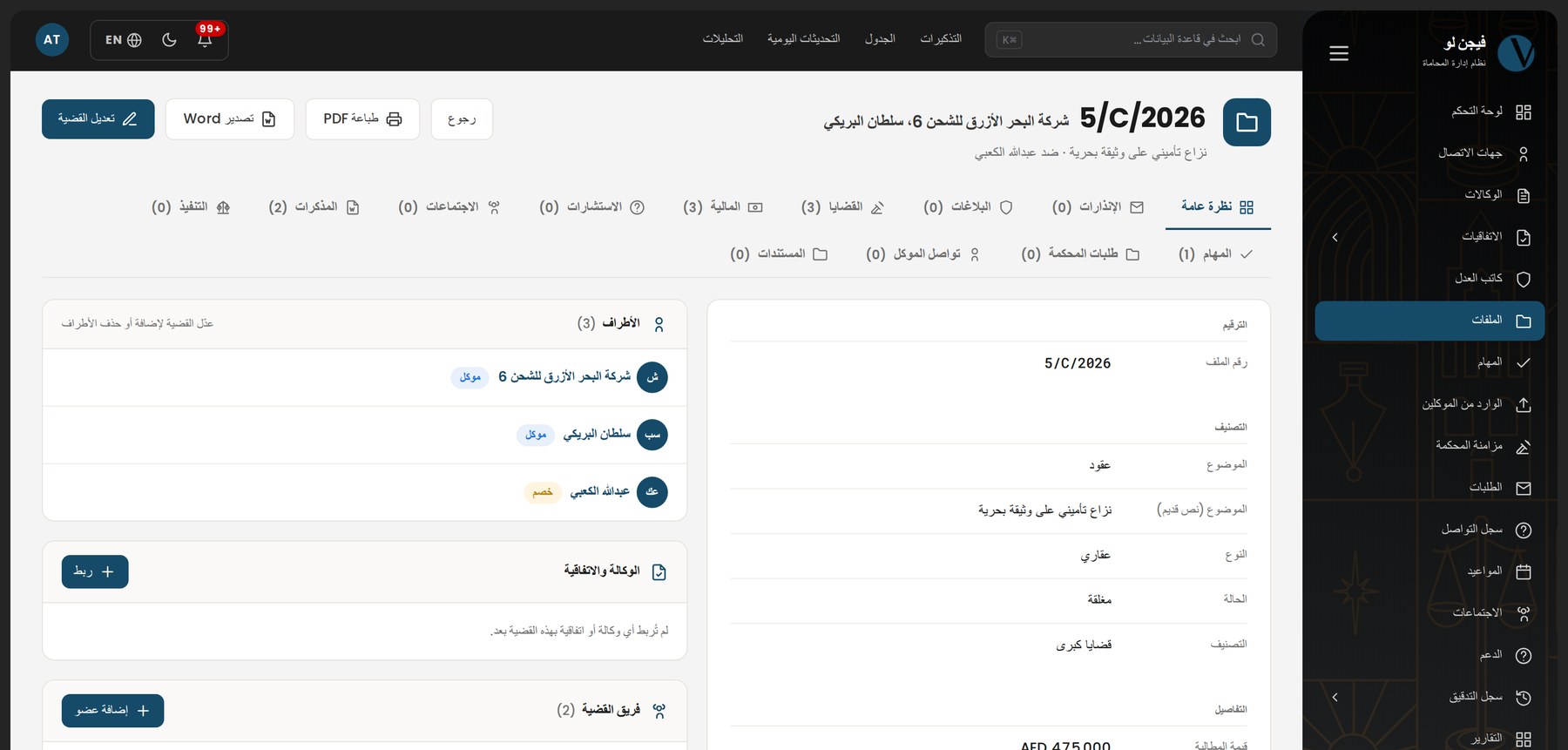
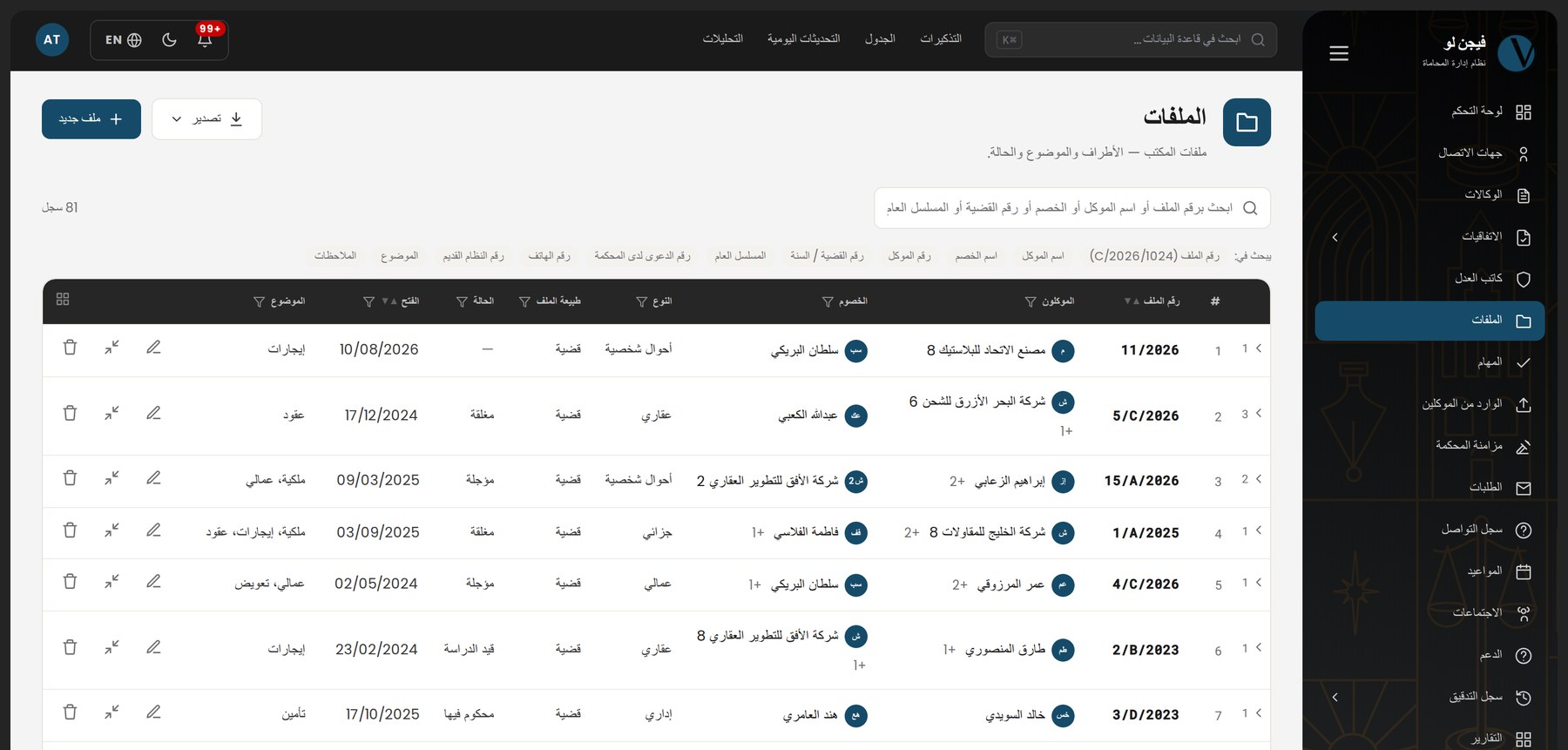
A case with its stages and hearings as one tree — file number, the court's own case number, opponents, parties, subject. Search by any of them and land on the file.
Cloud practice management for UAE law firms
Cases, hearings, powers of attorney, finance and documents in one system — Arabic-first, from any browser, with the Vision AI assistant and a client portal that shows your client exactly what you choose.
Modules
No add-ons to buy later. Every module follows the structure of the desktop system you already know, translated into cloud working.
A case with its stages and hearings as one tree — file number, the court's own case number, opponents, parties, subject. Search by any of them and land on the file.
Record the decision and book the next hearing in one save. The daily-updates queue shows what has not been recorded yet, and a row leaves the moment it is cleared.
Clients, opponents and expert offices under your own client number. A duplicate warning while you type, and a two-record merge you can undo.
Tax and court-fee invoices on separate number series that restart each January, receipt and payment vouchers, and a statement of account that is derived, never typed.
Every document on a case and its child records in one register, and Word editing inside the system itself, with versions and an approval cycle for memos.
Ranked search across sixteen sections. A file number, an opponent's name or the court's case number each go straight to the file.
Also included:
Built in
An assistant that knows the system it lives in. Ask in Arabic or English: it explains, it takes you to the right screen, and it walks you through the real interface — no video, no PDF manual.
Optionally, the assistant reads your own records to answer: brief a case, count and group, draw a chart, prepare an export. Read-only — it cannot modify, create or delete any record.
Client portal
A separate portal with its own login and sixteen sections your firm decides to publish. Ten of them ship switched off, because nothing should be published until you say so.
Nothing slips
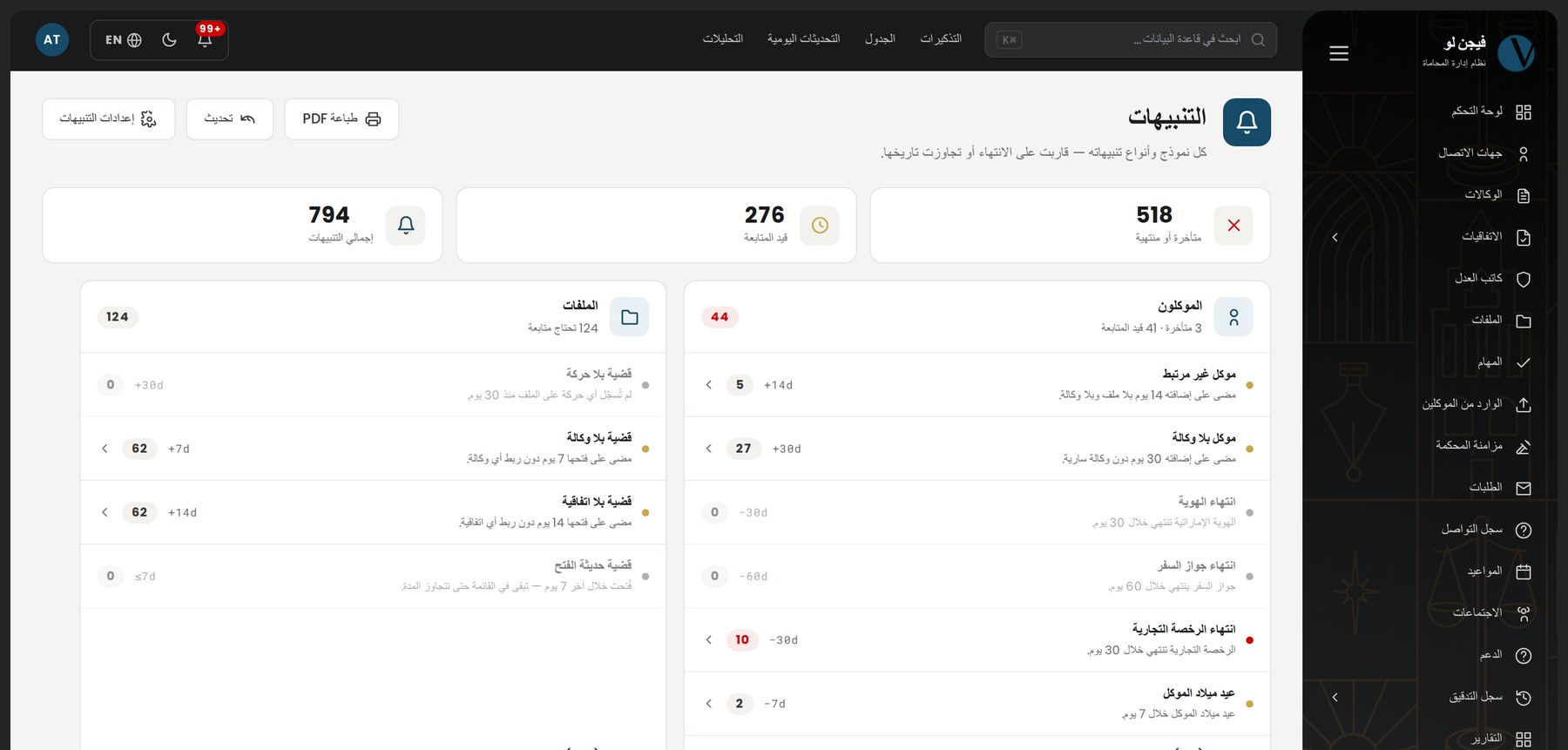
A power of attorney expiring, an ID about to lapse, a hearing whose decision was never recorded, an instalment due, a cheque maturing, a file dormant for months, a request the client never answered. The engine runs daily at 08:00 Dubai time.
A notification bell and its own screen, sorted most-urgent-first and scoped to what the reader may see.
From your firm's own mail account, so it arrives from your address and not ours. Every template is fully editable.
On your firm's own key. Each reminder type has its own recipients: the record's team, named staff, or the client.
The system starts in test mode: no automated message reaches anyone until your firm names the recipients and switches it off.
Court sync
The system opens the Abu Dhabi Judicial Department portal with your firm's own account, reads what the court has published on your cases, and puts every new thing in front of you for review. No copying from the website each morning, and no hearing discovered after it sat.
Reports and printing
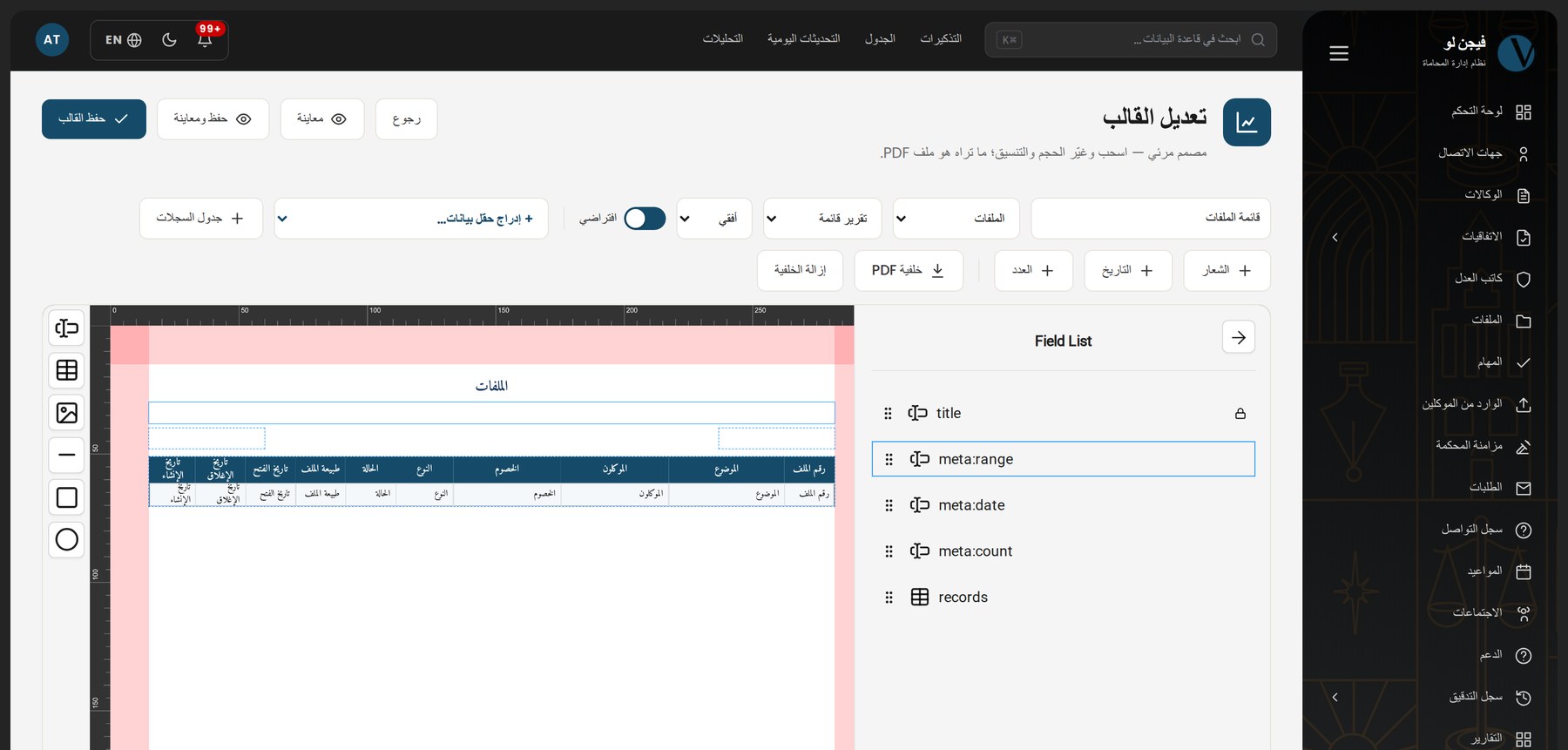
Your logo and letterhead print on every page of every PDF the system produces. A visual template designer in the browser rearranges any report to suit you.
Migration
Years of work in the desktop system are not something to re-key. We read your database and migrate clients, cases, stages, hearings, decisions, powers of attorney, contracts, memos and attachments — and the client number your firm already knows stays exactly as it is.
Real figures from one UAE law firm's migration. They have worked on the cloud system daily ever since.
On the roadmap
This is not ready today. We list it because our roadmap should matter to you before you buy, not after.
A new app for the Vision cloud system. Until it ships, the system runs in a phone browser with a layout that adapts to the screen.
Security and data
Every record belongs to its firm, and every query passes a permission layer before it reaches the database.
Permission groups with four actions per module; what a user does not hold simply never appears to them.
Every create, edit, delete, export and login, named and timestamped, searchable and exportable.
Your files on disk, on cloud object storage, or on an FTPS server you own — with a quota and a usage meter.
Nightly backups with a tested restore. The privacy policy sets out exactly where data is held, who can reach it, and what is sent to the AI provider and for how long it is kept — read it before you ask.
Inside the system
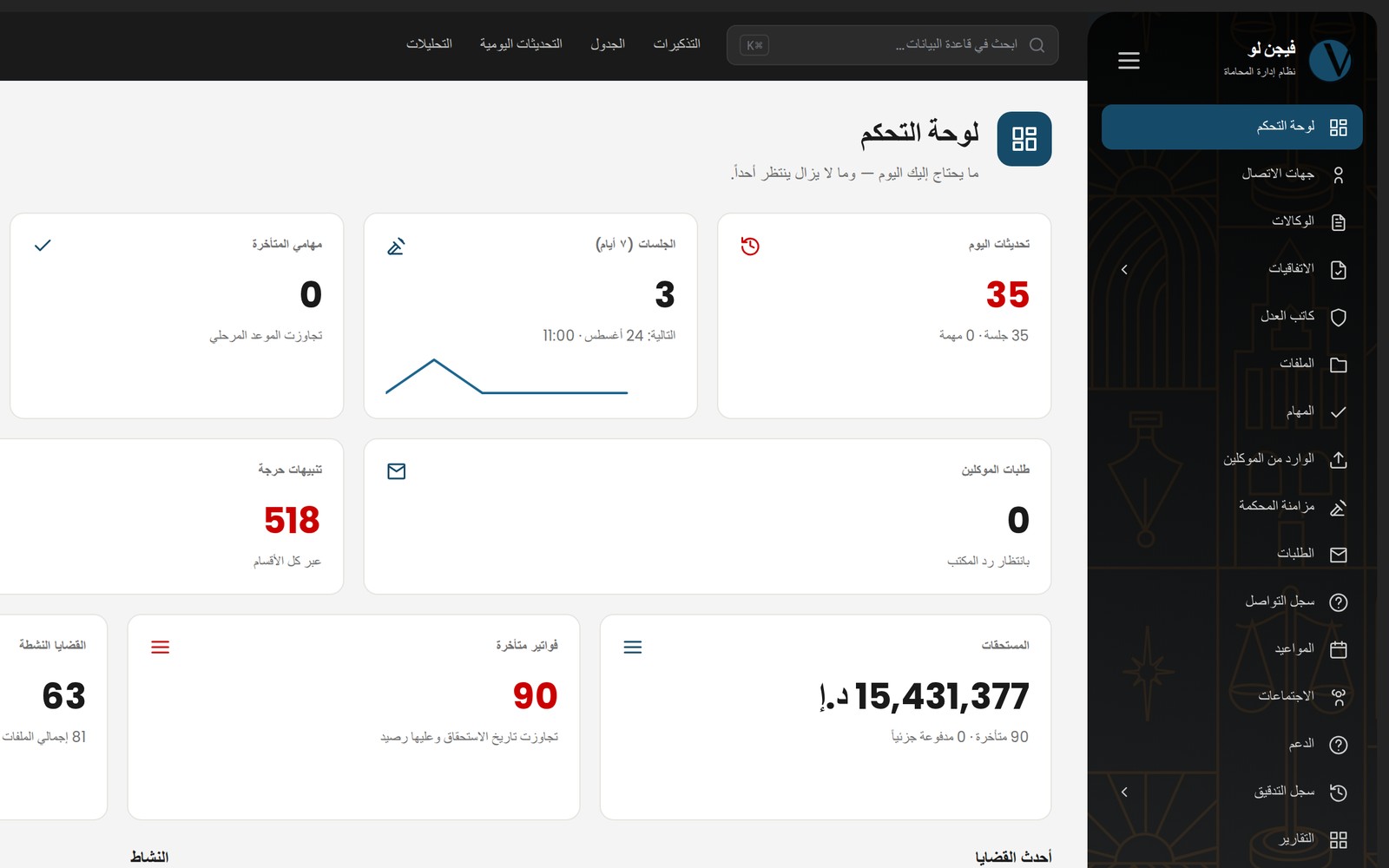
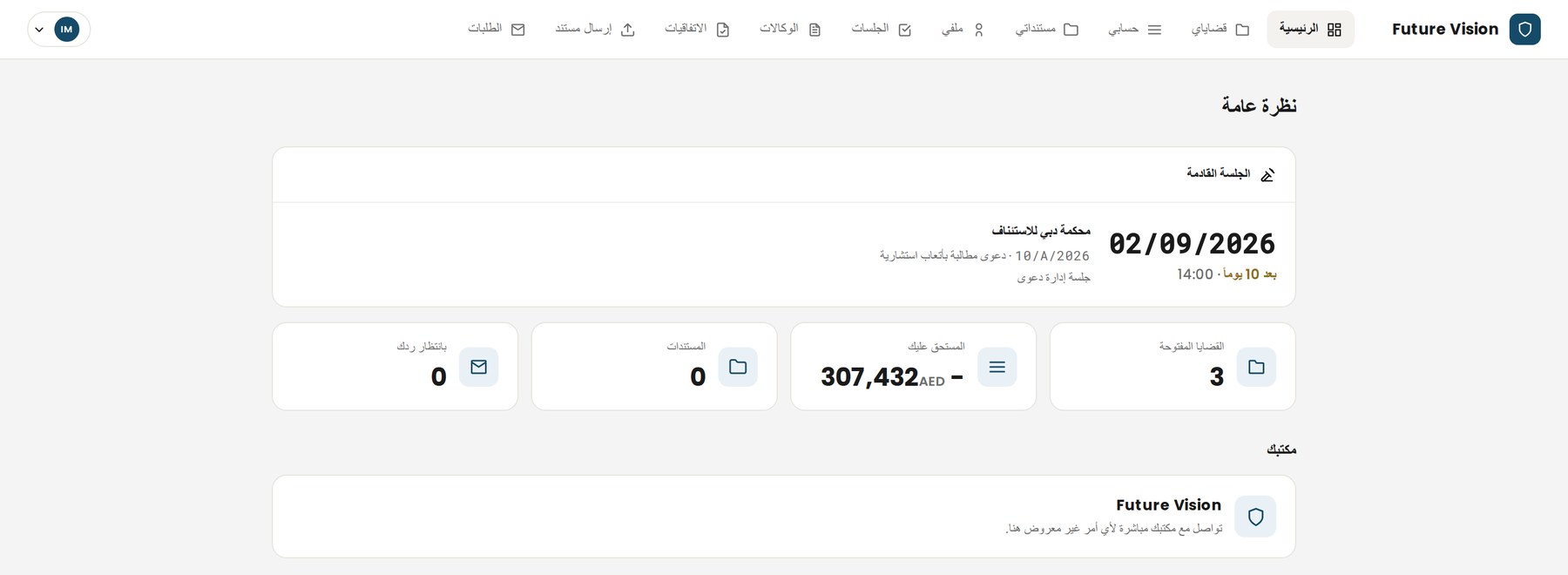
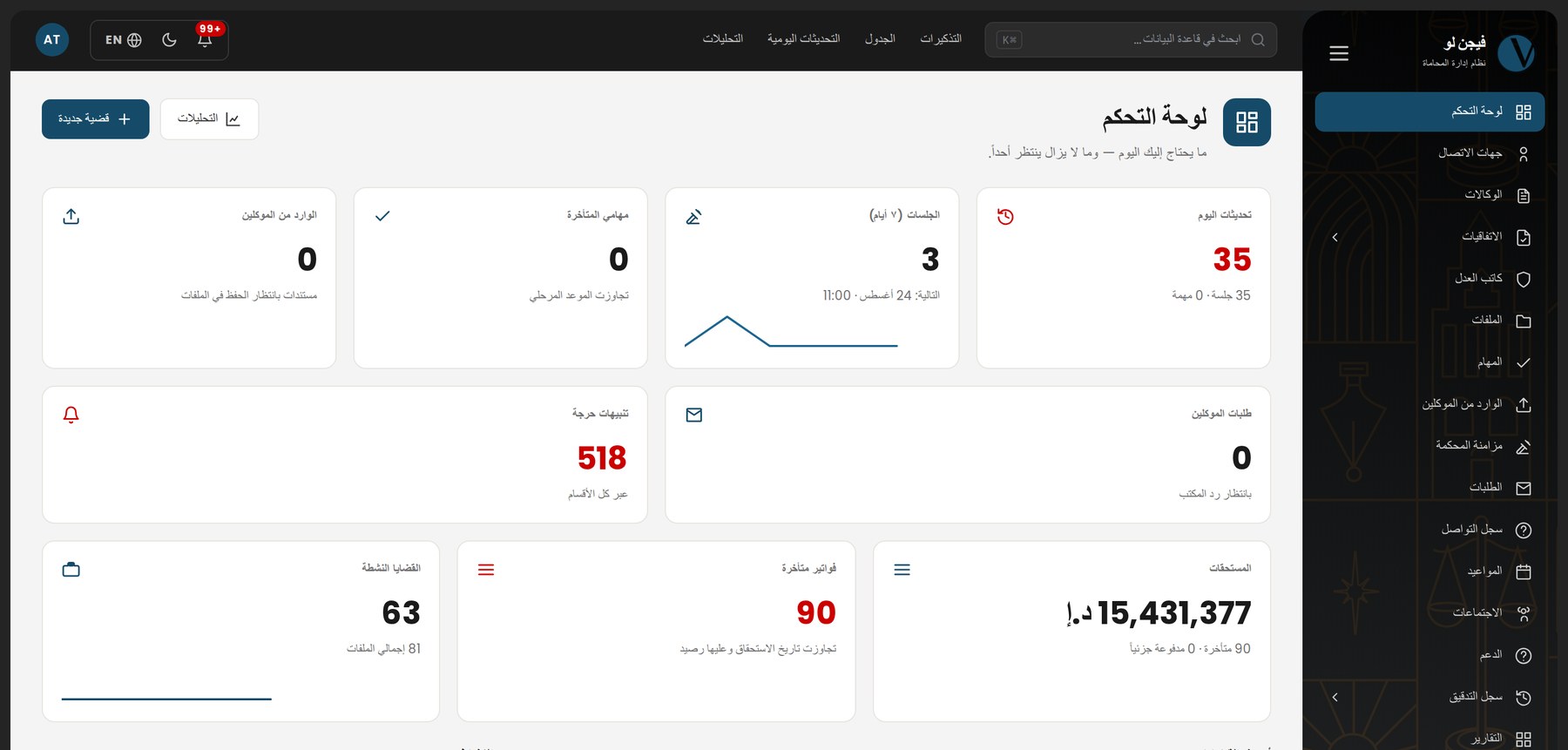
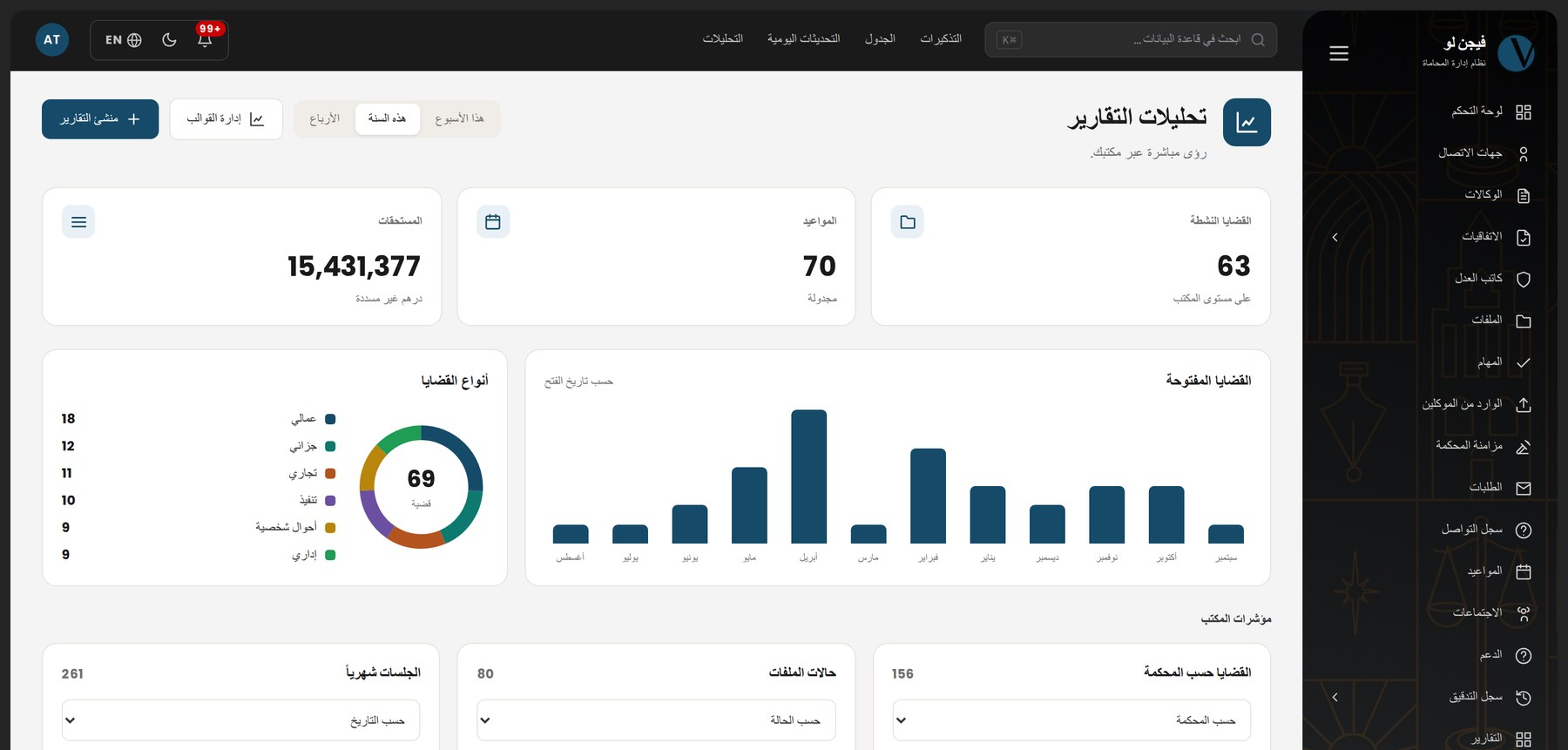
Real captures from the product, in its Arabic right-to-left interface.
Packages
Every module is in every package — what changes is how far the AI and the court sync go. Minimum three users, 10 GB of storage each.
Complete firm management — cases, hearings, tasks, finance
100AED / user / month
The AI works on your own firm's files
125AED / user / month
Your cases read from the court portal into your files
150AED / user / month
Prices in AED per user per month, excluding 5% VAT. Minimum three users. Terms other than monthly are paid whole, up front, in exchange for their discount. Desktop migration and training are priced by data size — ask for a quote and we will come back with a clear figure.
FAQ
Yes, and it is the first step rather than the last. We read the desktop database and migrate clients, cases, stages, hearings, decisions, powers of attorney, contracts, payments, memos, tasks and attachments, along with the dropdown lists your firm built up over the years. Your client numbers stay as they are. You get a report of what was migrated and what was not, and why — before go-live, not after.
Arabic-first. The system opens in Arabic, right-to-left, by default; English is the option. That extends to PDFs: Arabic shaping and text direction are correct, and mixed Arabic-Latin text is ordered properly. Reminder messages arrive in the recipient's language, not the sender's.
Every record belongs to its firm and no query from another firm can reach it. Files go where you choose: the server's disk, cloud object storage, or an FTPS server you own. Every action inside the system is written to the audit log under its author's name. The full detail — including what is sent to the AI provider and how long it is kept — is in the privacy policy.
No. Permissions today are at the module level, not the record level: anyone holding "view case files" sees every case in the firm. You can withhold an entire module from an employee; you cannot confine a lawyer to their own matters. We say this plainly because it is asked often, and finding out after purchase is worse.
Yes, from the Abu Dhabi Judicial Department portal, using your firm's own account. Every file carrying the court serial is re-checked automatically every four hours, and whatever changed arrives in a review queue: a hearing, a decision, a degree of litigation, a party, a document — none of it written to your file before you accept it. The connection is read-only: the system files nothing and changes nothing at the court. Dubai Courts are not part of what works today.
Not available today. The working channels are in-app notifications, email from your firm's own account, and WhatsApp. The SMS channel appears in the settings and does not yet send anything, and we do not count it as part of what you are buying.
The app for the cloud system is in development and has not shipped. The system runs today in a phone browser with a layout that adapts. Any app currently published under the Vision name belongs to the older desktop system and does not connect to the cloud product — which is why you will not find its link on this page.
By default: it explains the system, takes you to the right screen, walks you through the real interface, and opens a support ticket with a drafted subject when it does not know. Reading your firm's records — briefing a case, counting and grouping, drawing a chart, preparing an export — is a separate capability that is off by default, switched on for your firm under a written agreement, and is read-only: the assistant cannot modify, create or delete a record, and every read is logged.
It depends on the size of your database and the number of attachments. The usual order: read your database and report what can be migrated, then a trial migration you review yourself, then the final migration and training. Ask for a quote and we will give you a timeline based on your data, not on an average.
Get in touch
Leave your number and we will call, or start a WhatsApp conversation now. The quote includes migration and training — and we will tell you what the system does not do before you ask.